• Skip to primary navigation
  • Skip to main content
  • Skip to footer
Rock, Pixels, Scissors logo

Rock, Pixel, Scissors

Your SUPER-powered WP Engine Site

  • About
  • Services
  • Portfolio
  • Blog
  • Contact Us

Uncategorized

Fix your website’s leaking roof

September 1, 2022 by Robert Lodi

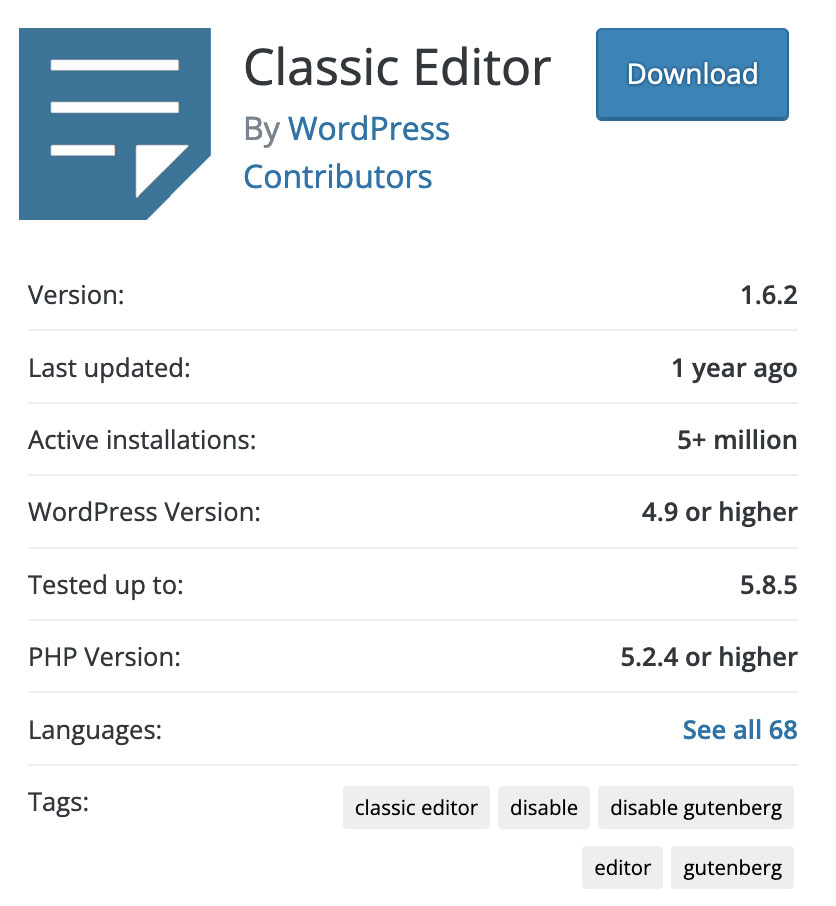
Not the best specs, looking at last update and tested version.

Are you and your WordPress site ready for 2023?

If you are still relying on the Classic Editor plugin, you may not be.

When WordPress 5.0 (also known as Gutenberg or block editor) launched in late 2018, the Classic Editor plugin became one of the most popular plugins available.

This plugin let you ignore the new weirdness and weird newness that was early Gutenberg, and simply pretend that it hadn’t happened. It was awesome.

In late 2020, WordPress announced that support for Classic Editor would end by 2021. In early 2021, they extended support “until 2022” but they haven’t really said until when.

As of today, the plugin hasn’t been updated in a year and hasn’t been tested with current WordPress versions.

All of this means – if your site relies on Classic Editor and you see it installed in your site’s plugins, it may be time to think about some updates.

The good news is – we can help.
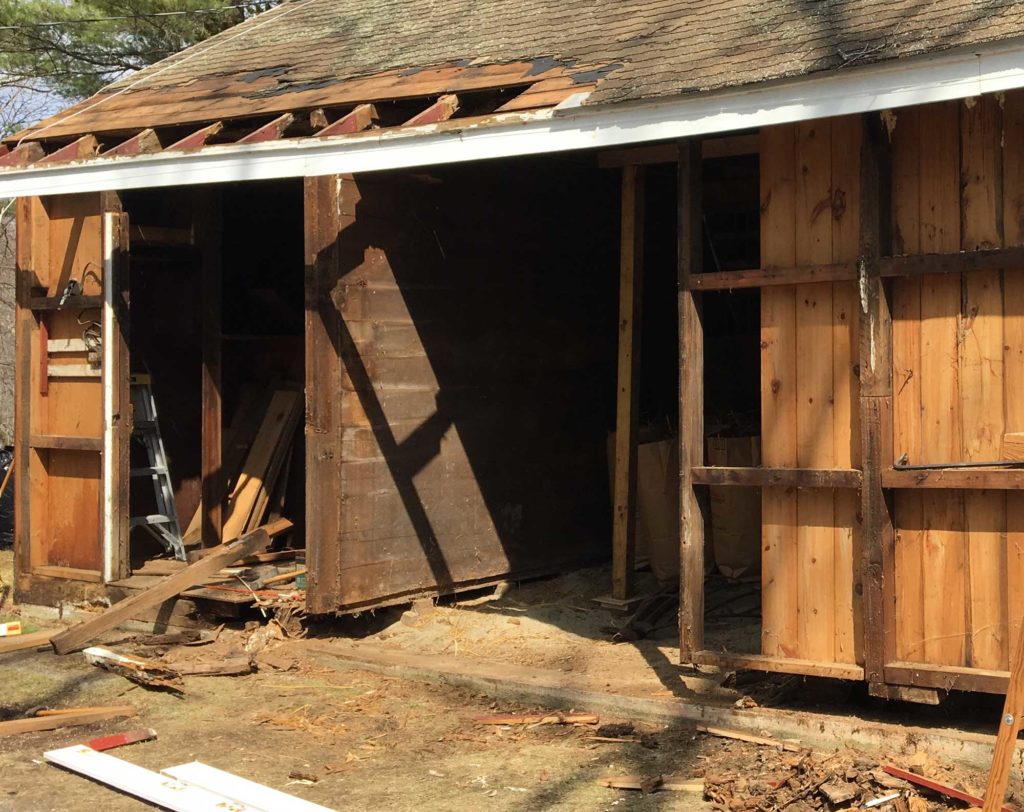
I didn’t want to do this to my barn. And you don’t want to do this with your website.

Much like fixing a leaking roof – it is much cheaper to stop the leak, than to let it leak, and rot, and have to rebuild the rafters and walls and the sills (ask me about the barn project some day).

Taking action now, to make sure your site will last and work well for years to come, will be more cost effective and easier than having a crisis should something go wrong with older, incompatible plugins.
Filed Under: Uncategorized

The dark side of WordPress updates

August 17, 2022 by Robert Lodi

Have you ever had an older phone and the operating system updated (intentionally or accidentally) and things started not working quite right or not working at all? 

That’s similar to what can happen with an older or outdated WordPress website when updated without care. 

Wonkiness.

From pages not loading properly to missing styles to no site at all – it can sometimes be catastrophic to force new updates on vintage sites – which include many sites built before late 2018.

As important as it is to keep your WordPress site updated and current – there are some questions that are worth answering before hitting “update” an older site.

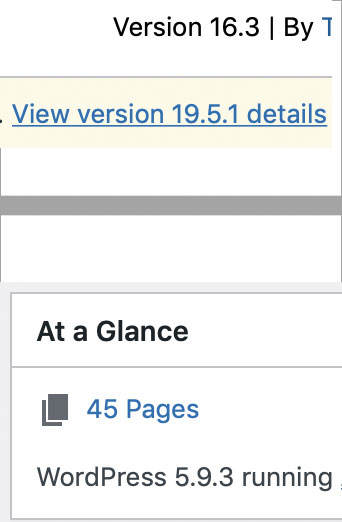
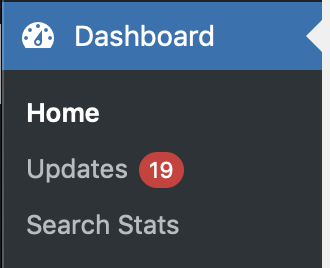
Top: a plugin update that is several versions behind. Bottom: Dashboard showing current WordPress version.
  • Are the plugins many versions out of date?
  • Was this site built before late 2018?
  • Does the WordPress version start with a 4? Or 5.0.x?

If you can answer yes to any of these questions – for safety and security, your site should get updated today.

You have a few options. You can hold your breath and update it yourself, and call me if there’s a problem. Or contact us first and save yourself some heartache. We can recommend next steps to safely get your site updated, rebuilt, or recovered.

Filed Under: Uncategorized

Keeping things current

August 4, 2022 by Robert Lodi

So last week I talked about having too much stuff.

This week – let’s talk about keeping your stuff updated.

There are three parts to keeping WordPress updated. WordPress core, any themes, and any plugins you are using. 

If these updates aren’t done regularly, you can easily get a few versions out of date – which can cause both security issues and functionality problems. 

For example, a friend updated a plugin and accidentally took his site down, because he waited so long between site launch and updating things, and the updated plugin no longer worked the same way. That’s really bad.

Another time, a site I inherited hadn’t been kept updated, and the theme was so out of date, that no edits could be made to the home page (or any other page) and we had to start over, in a last-minute crisis. Which is also bad.

These days, there are WordPress core updates often. Sometimes every month. And with each WordPress update comes a storm of plugin updates. 

And sometimes, there are extra plugin updates to address a potential issue. As many clients forwarded to me this week.

If you’ve had it with the notifications and red update alerts and need help keeping your site updated, safely, let me know. We’re here to fix your stuff. 

Filed Under: Uncategorized

Don’t let your website be a hoarder

July 28, 2022 by Robert Lodi

Old themes, old plugins, giant images, even entire old site versions can all be taking up too much space on your website’s server, and that server can become a hoarder if you’re not careful.

And after a while, this can become a problem in a couple ways. 

First – sheer volume of files can put you over the space allocation your hosting company gives you. This can mean increased annual hosting costs, to store old or oversized things you don’t need.

More importantly – old themes and plugins can be a security risk. Even if they aren’t active – old files on the server can still provide entry points for hackers to add malicious code. 

How would you even know? When your site is hacked or you start getting billing alerts from your hosting company?

If you’re afraid your website might be a hoarder and you’d like a hand with a site cleanout – let me know. Maintenance is an important part of a fast, healthy website, and Rock Pixel Scissors is here to help.

Filed Under: Uncategorized

Why hosting matters for WordPress sites

June 9, 2022 by rpsdev2021

As someone on the sharp end of website development, I interact with a variety of web hosting companies. And over the years I’ve narrowed it down to a few I prefer to work with, and that I recommend to my clients.

The reasons are simple – security, support, and features that save me time – and save my clients money.

Security

Security with a WordPress site is no joke.

Many popular hosting companies are targeted by hackers, and some hosts are less concerned about security than others. While you can always add plugins and third party services for extra security, that also adds overhead to your site in both dollar cost and page loading speed. As well as adding more plugins to manage and keep updated. Having a host who is paranoid about security and knows how to make WordPress work safely within a secure environment is simply easier and safer. And much cheaper than getting hacked.

Support

Support becomes critical when there’s a problem, and when there’s a problem – bad support is worse than no support. Personally I prefer live chat because there’s a record of what was said, embedded links, and I can email it to myself for future reference and send transcripts to clients. And having smart techs on the other end who can answer questions, and know how to solve issues, makes the rare problems go away faster.

Features

Features that are important day to day include page loading speed, site backups and restores, and extra sites for dev and staging.

Site loading speed is now (and has been for a while) directly related to your search engine search results placement. Simply put, Google says faster is better, and some hosts are faster than others.

Backups should be obvious – and the more the better! And being able to take a site with a problem and work “offline” in a dev site is safer for me, and for the client. Nobody wants the live site going offline from a typo or other conflict.

Other features I look for are secure FTP across all sites, free and easy SSL, and limited server cache.

A good hosting company will offer all this and more, and make day to day site management as painless as possible.

Overall – hosting your WordPress site with a company who gets it will result in better performance, better security, and real world cost savings month to month.

Filed Under: Uncategorized

Is WordPress Current?

June 6, 2022 by rpsdev2021

Is my site current?
Is that v 6 point 0?

So many plugins,
They keep updating, don’t you know.

(piano starts)

Open your drives,
Backup your websites ,

And see…

My site’s outdated,
I need new PHP.

…

If you have a new-ish wordpress website, the best thing you can do to keep it safe and running smoothly is to it keep it updated. 

It’s that easy. 

(If you have an older site, it may need more maintenance or even a rebuild. We can help you with that.)

These days, every month or so there’s a WordPress version patch. And with each patch tend to come a storm of plugin updates.

Most of these patches and updates are to fix security issues.

If you ignore the updates, and the site gets hacked or falls too far behind – that can very quickly escalate to problems such as your domain getting blacklisted. Or the site turning into Russian. Or the site throwing a critical error and not working at all.

All of these things have happened just within the last few months to sites whose owners didn’t keep their sites updated for one reason or another.

And when that happens – you’ve gone from a small quick maintenance fix, to a big problem. Or a rebuild. Or to having no site at all.

(begin headbanging ala Waynes World and sing along)

So you think you can launch it and leave it alone?
So you think that you don’t have to test on a phone?

Oh, WordPress, gotta stay current, WordPress
just gotta rebuild, just gotta rebuild this old site.

(Full lyrics available on request. I can fix websites, but as it turns out I can’t sing at all.)

Filed Under: Uncategorized

  • « Go to Previous Page
  • Go to page 1
  • Interim pages omitted …
  • Go to page 6
  • Go to page 7
  • Go to page 8
  • Go to page 9
  • Go to Next Page »

Footer

  • About
  • Services
  • Portfolio
  • Blog
  • Contact Us

Stay in the loop: Newsletter coming soon.

Sign up here

Contact RPS

[email protected]

508 380 7213

Copyright © 2026 · Rock, Pixel, Scissors · All rights reserved · Privacy Policy · Terms and Conditions